

In our connected world, power adapters are the unsung heroes that keep our electronic devices running. However, not all power adapters are created equal. Using an incorrect or poor-quality adapter can, at best, lead to poor performance and, at worst, permanently damage your expensive equipment.
This guide will walk you through the critical technical parameters and considerations you need to understand before purchasing a replacement or a new power adapter.>>
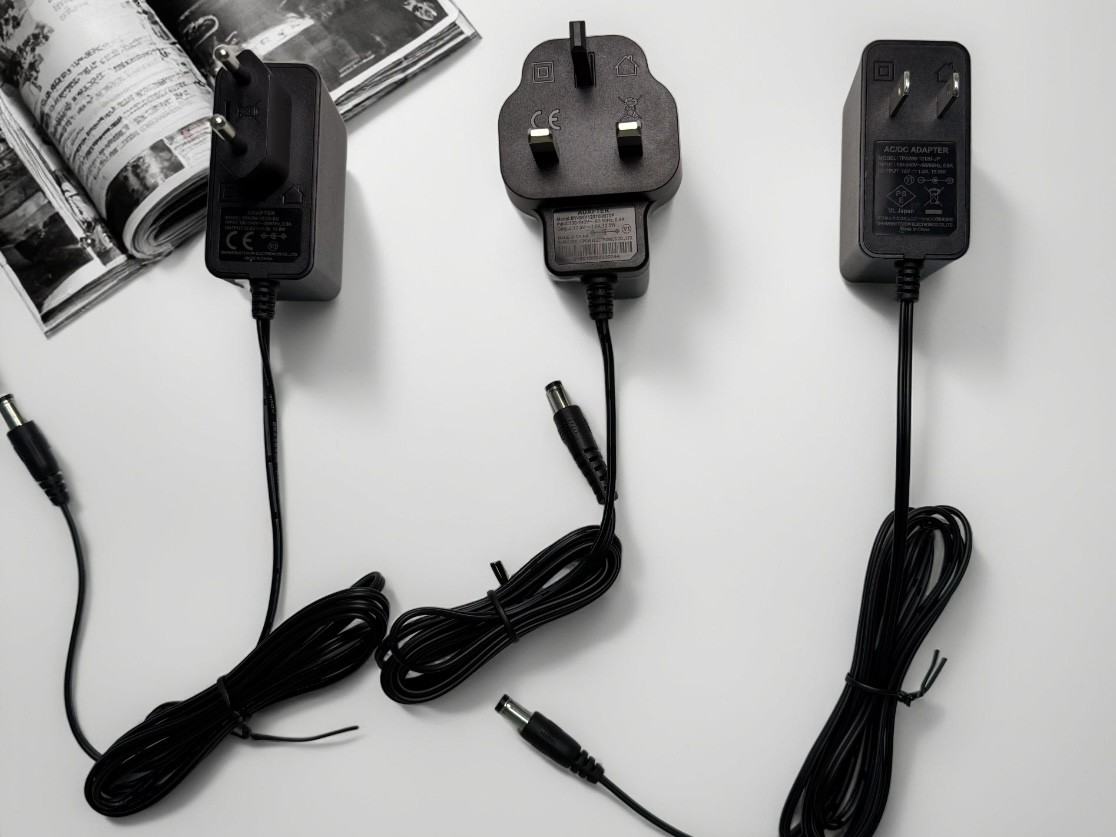
1. The Non-Negotiable Basics: Voltage, Current, and Polarity
Before anything else, you must get these three specifications correct. They are the foundation of safe and compatible power delivery.
Voltage (V): Measured in volts (V), this is the electrical "pressure" from the adapter.
The Rule: The adapter's output voltage must match your device's required input voltage exactly. A higher voltage can cause severe damage to the device's internal components, while a lower voltage may prevent it from turning on or functioning correctly.
Example: If your laptop requires 19V, you must use a 19V adapter.
Current (A): Measured in amperes or amps (A), this is the maximum electrical "flow" the adapter can supply.
The Rule: The adapter's current (or amperage) rating must be equal to or greater than the device's requirement. Your device will only draw as much current as it needs. Therefore, using a 3A adapter on a device that only needs 1.5A is perfectly safe. However, using a 1A adapter on a device that needs 2A will likely cause the adapter to overheat, fail, or cause the device to behave erratically.
Example: Your tablet requires 2A. You can safely use a 2A, 2.5A, or 3A adapter (as long as the voltage matches).
Polarity: This defines the direction of the electrical flow. It is crucial for DC (Direct Current) devices.
The Rule: The polarity of the adapter must match the polarity of the device.
How to Check: Look for a diagram on both the device and the old adapter. It will show a symbol like this: ( -○- + ). The central positive symbol means the tip of the plug is positive, and the outer barrel is negative. Reversing this can damage your device.
A perfect electrical match is useless if you can't physically connect the adapter to your device.
Plug Size: DC plugs have two key measurements: the outer diameter (OD) and the inner diameter (ID), usually in millimeters. A difference of even 0.5mm can make the connector too loose or too tight.
Plug Type: Plugs can be barrel-type, USB-type, or proprietary magnetic connectors (like those on some laptops). Ensure the physical shape and pin configuration are correct.
Tip: If you're replacing an old adapter, measure the plug carefully or look for the connector size printed on the device's label (e.g., "Φ 5.5 x 2.1mm").
3. Power Rating (Wattage - W)
Wattage (W) is a derived value that represents the total power capacity. It's calculated as: Watts (W) = Volts (V) x Amps (A).
The Rule: The adapter's wattage must meet or exceed the device's requirement.
*Example: A device that requires 12V and 3A needs 36W of power (12 x 3 = 36). A 40W or 65W adapter with the same voltage and correct plug would work perfectly. Using a 24W (12V 2A) adapter would be insufficient.*
This is where quality matters most. A cheap, uncertified adapter can be a fire or safety hazard.
Look for Certifications: Always look for marks from recognized international safety standards bodies. Common ones include:
UL Listed (USA),CE Mark (Europe),FCC (USA - for electromagnetic interference),PSE (Japan),RoHS (Restriction of Hazardous Substances)
5. AC vs. DC Adapters
Understand the type of power your device needs.
AC Adapters: These are less common for small electronics but are typically used for larger devices like some gaming consoles or speakers. They output Alternating Current.
DC Adapters: The most common type for laptops, monitors, routers, and other small electronics. They convert wall AC power to a lower-voltage Direct Current.
Universal Adapters: These come with multiple interchangeable tips and adjustable voltage settings. They can be convenient but require extreme care to ensure the voltage, polarity, and current are set correctly for each use.
USB Power Delivery (USB-PD): For modern devices like laptops, tablets, and phones, USB-PD is a smart protocol that allows the device and adapter to negotiate the optimal voltage and current (e.g., 5V, 9V, 15V, 20V). For these, ensure the adapter supports the correct PD profile for your device.
Efficiency and No-Load Power Consumption: High-efficiency adapters (look for 80 Plus certification or similar) waste less energy as heat, saving you money on electricity and being better for the environment.
Quick Checklist Before You Buy
01.Voltage: Does the adapter's output V match my device's input V?
02.Current: Is the adapter's A rating my device's requirement?
03.Polarity: Does the adapter's polarity symbol match my device's?
04.Connector: Does the plug fit securely and make a good connection?
05.Wattage: Does the adapter's W rating meet or exceed my device's needs?
06.Certifications: Does the adapter have necessary safety marks (UL, CE, etc.)?

Conclusion
Selecting the right power adapter is a simple process once you understand the key specifications. While price is always a factor, prioritizing electrical compatibility and safety certifications is non-negotiable for protecting your devices and your home. By taking a few minutes to verify the details on your device's label, you can make an informed purchase that ensures reliable and safe performance for years to come.


