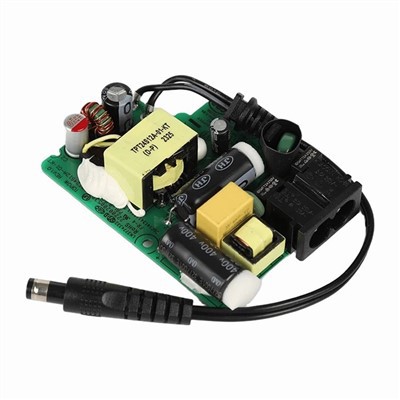

Hey there, fellow gamers and PC enthusiasts! As a supplier of Gaming PC Adapters, I know how crucial it is to keep your adapter in top - notch condition. A clean adapter not only ensures the smooth operation of your gaming rig but also extends its lifespan. In this blog, I'll walk you through the steps on how to clean a Gaming PC Adapter.

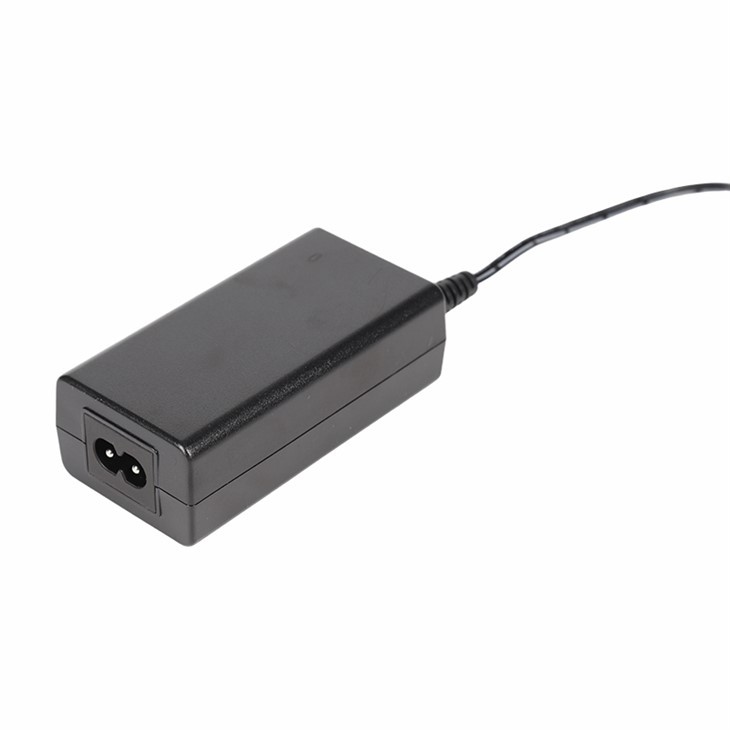
Why Cleaning Your Gaming PC Adapter Matters
First off, let's talk about why cleaning your adapter is so important. Over time, dust, dirt, and debris can accumulate on the adapter. This build - up can cause several problems. For one, it can block the ventilation holes on the adapter. When that happens, the adapter can't dissipate heat effectively, which may lead to overheating. Overheating, in turn, can reduce the adapter's efficiency and even damage its internal components.
Another issue is that dirt can cause electrical problems. If there's enough dust and grime on the adapter's connectors, it can interfere with the electrical connection between the adapter and your PC. This might result in intermittent power supply, which is a nightmare for gamers, as it can cause sudden shutdowns during an intense gaming session.
Pre - Cleaning Precautions
Before you start cleaning your Gaming PC Adapter, there are a few safety precautions you need to take. First and foremost, unplug the adapter from both the power outlet and your PC. This is a no - brainer, but you'd be surprised how many people forget this simple step. Working on a plugged - in adapter is extremely dangerous and can lead to electric shock.
Next, find a clean, well - lit area to work in. A clutter - free workspace will make the cleaning process much easier and safer. You'll also want to gather the necessary cleaning tools. You'll need a can of compressed air, a soft - bristle brush, a microfiber cloth, and some isopropyl alcohol (at least 70% concentration).
Step - by - Step Cleaning Process
Exterior Cleaning
The first step is to clean the exterior of the adapter. Use the can of compressed air to blow away any loose dust and debris. Hold the can upright and keep a safe distance (about 6 - 8 inches) from the adapter. Spray short bursts of air into all the nooks and crannies, especially around the ventilation holes and the edges of the adapter.
After using the compressed air, take the soft - bristle brush and gently brush the surface of the adapter. This will help dislodge any stubborn dirt that the compressed air couldn't remove. Be careful not to press too hard, as you don't want to scratch the adapter.
If there are still some stains or sticky spots on the adapter, dampen a corner of the microfiber cloth with a small amount of isopropyl alcohol. Wipe the stained areas gently. The alcohol will help dissolve the dirt and disinfect the surface. Make sure to let the adapter dry completely before moving on to the next step.
Cleaning the Connectors
The connectors are one of the most important parts of the adapter, and they need special attention. Use the compressed air to blow out any dust from the connector pins. Then, take a small amount of isopropyl alcohol on a cotton swab and gently clean the connector pins. This will remove any oxidation or dirt that might be affecting the electrical connection.
Be very careful when cleaning the connectors. Don't bend or damage the pins, as this can render the adapter useless. After cleaning, use a dry microfiber cloth to wipe away any remaining alcohol.
Ventilation Hole Cleaning
The ventilation holes are crucial for the adapter's heat dissipation. Use the compressed air to blow through the ventilation holes from both sides. If there's still some dust stuck inside, you can use the soft - bristle brush to gently brush it out. Just make sure not to push the dust further into the adapter.
Post - Cleaning Checks
Once you've finished cleaning the adapter, it's time to do a few checks. First, visually inspect the adapter for any signs of damage. Look for cracks, loose parts, or any other issues. If you notice anything suspicious, it's best to replace the adapter.
Next, plug the adapter back into the power outlet and your PC. Check if your PC powers on normally and if there are any signs of power issues. If everything seems to be working fine, congratulations! You've successfully cleaned your Gaming PC Adapter.
Different Types of Gaming PC Adapters and Their Cleaning Needs
As a supplier, I know that there are different types of Gaming PC Adapters, and each may have slightly different cleaning needs. For example, the Home Use Desktop Power Adapter is often used in a relatively clean home environment. However, it still needs regular cleaning to maintain its performance.
The Wifi Router Power Adapter is another type. Since routers are often placed in areas with a lot of electronic devices, they may attract more dust. Make sure to pay extra attention to the ventilation holes when cleaning this type of adapter.
The 150w Power Adapter is a high - power adapter that generates more heat. It's essential to keep its ventilation holes clear to prevent overheating. You may need to clean it more frequently than other adapters.
Maintaining a Clean Adapter
Cleaning your Gaming PC Adapter isn't a one - time thing. To keep it in good condition, you should make cleaning a regular part of your PC maintenance routine. I recommend cleaning your adapter at least once every three months, depending on your environment.
Also, try to keep your PC and its accessories in a clean environment. Use dust filters on your PC case, and avoid placing your adapter in areas with a lot of dust or debris.
Conclusion
Cleaning your Gaming PC Adapter is a simple but important task that can make a big difference in your gaming experience. By following the steps outlined in this blog, you can keep your adapter clean, efficient, and safe.
If you're in the market for a new Gaming PC Adapter or have any questions about our products, feel free to reach out. We're always here to help you find the perfect adapter for your gaming needs. Whether you're a casual gamer or a professional esports player, we've got you covered.
References
- General knowledge from years of experience as a Gaming PC Adapter supplier.
- Industry best practices for cleaning electronic devices.