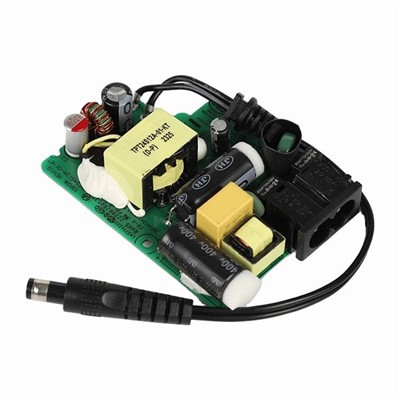

Hey there! I'm a supplier of desktop power adapters, and today I'm gonna walk you through the process of replacing a desktop power adapter. Whether your old adapter has kicked the bucket or you're just looking to upgrade, I've got you covered.
Why You Might Need to Replace Your Desktop Power Adapter
First off, let's talk about why you'd even want to replace your power adapter. There are a few common reasons. Maybe your adapter has stopped working altogether. You plug it in, and your desktop just won't turn on. That could be due to a short circuit, a blown fuse, or some other internal damage. Another reason could be that you've upgraded your desktop components, like getting a more powerful graphics card or adding extra RAM, and your old adapter just can't keep up with the increased power demands.
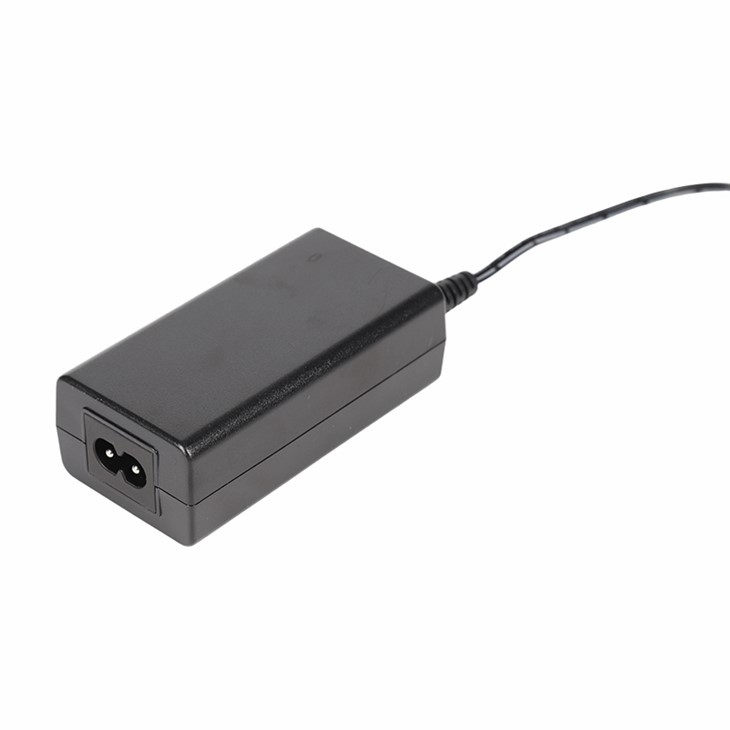

Choosing the Right Replacement Adapter
Now, when it comes to choosing a new power adapter, there are a few things you need to keep in mind. The most important thing is the wattage. You need to make sure the new adapter has the right wattage for your desktop. If the wattage is too low, your desktop might not work properly or could even get damaged. On the other hand, if the wattage is too high, it's not necessarily a bad thing, but it might be a waste of money.
You can usually find the wattage requirements for your desktop in the user manual or on the manufacturer's website. If you can't find that information, you can also look at the label on your old adapter. It should have the wattage printed on it.
Here at our store, we offer a variety of power adapters with different wattages. For example, we have the 150w Power Adapter which is great for mid-range desktops with a decent amount of components. And if you have a smaller, less power-hungry desktop, our 50w Power Adapter might be the perfect fit.
Another thing to consider is the voltage and amperage. These should also match the requirements of your desktop. You can find this information in the same places as the wattage.
Safety First
Before you start replacing your power adapter, it's important to take some safety precautions. First, make sure your desktop is turned off and unplugged from the wall outlet. This will prevent any electrical shocks or damage to your components. You should also wear anti-static gloves to prevent static electricity from damaging your sensitive electronic parts.
Step-by-Step Guide to Replacing Your Desktop Power Adapter
Step 1: Locate the Old Adapter
The first step is to find the old power adapter. In most cases, it's located at the back of the desktop case. It's usually a big, boxy device with a power cord coming out of it.
Step 2: Disconnect the Power Cord
Once you've located the old adapter, unplug the power cord from the back of the adapter and from the wall outlet. You might also need to disconnect any other cables that are connected to the adapter, like the SATA power cables that go to your hard drives or optical drives.
Step 3: Remove the Old Adapter
Most power adapters are held in place by screws. Use a screwdriver to remove the screws that are holding the adapter in place. Once the screws are removed, you should be able to gently pull the adapter out of the case.
Step 4: Install the New Adapter
Take your new power adapter and carefully insert it into the same spot where the old adapter was. Make sure it's properly aligned and then use the screws to secure it in place.
Step 5: Connect the Cables
Now it's time to connect the cables. First, plug the power cord into the back of the new adapter and into the wall outlet. Then, reconnect any other cables that you disconnected earlier. Make sure they're all plugged in securely.
Step 6: Test Your Desktop
Once you've connected all the cables, it's time to test your desktop. Turn it on and see if it works. If everything is working properly, then you've successfully replaced your power adapter!
Other Considerations
If you're using a desktop with a Wi-Fi router, you might also need a Wifi Router Power Adapter. This adapter is specifically designed to power your Wi-Fi router and ensure a stable connection.
Conclusion
Replacing a desktop power adapter might seem like a daunting task, but it's actually pretty straightforward if you follow these steps. Just make sure you choose the right adapter for your desktop, take the necessary safety precautions, and follow the step-by-step guide.
If you have any questions or need help choosing the right power adapter for your desktop, don't hesitate to reach out to us. We're here to help you with all your power adapter needs. Whether you're a casual user or a professional gamer, we've got the perfect adapter for you. So, if you're in the market for a new desktop power adapter, give us a chance and let us provide you with high-quality products and excellent customer service.
References
- Computer hardware manuals from major manufacturers
- Online resources on computer hardware repair and maintenance