


Hey there! As a supplier of Electrical Scooter Charger, I've seen my fair share of issues with charging ports. A dirty charging port can cause all sorts of problems, like slow charging, intermittent connections, or even complete charging failure. In this blog post, I'm gonna share some tips on how to clean the charging port of an electrical scooter charger.
Why Cleaning the Charging Port is Important
First off, let's talk about why it's so important to keep your charging port clean. Over time, dust, dirt, lint, and other debris can accumulate in the charging port. This can create a barrier between the charger and the scooter's battery, preventing a proper electrical connection. When that happens, you might notice that your scooter isn't charging as quickly as it used to, or that it stops charging altogether.
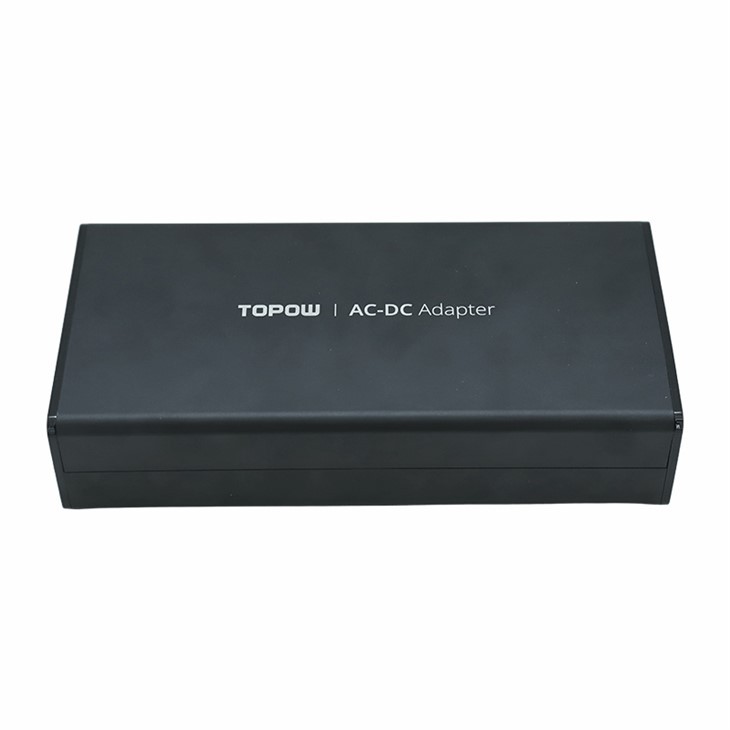

Not only can a dirty charging port affect the charging performance, but it can also damage the charger and the scooter's battery. The debris can cause corrosion and short circuits, which can lead to costly repairs or even render your charger and scooter useless. So, taking the time to clean your charging port regularly is definitely worth it.
Tools You'll Need
Before you start cleaning the charging port, you'll need to gather a few tools. Here's what you'll need:
- Compressed air can: This is great for blowing out loose dust and debris from the charging port.
- Cotton swabs: These are useful for gently cleaning the inside of the charging port.
- Isopropyl alcohol: This can help dissolve stubborn dirt and grime. Make sure to use at least 90% isopropyl alcohol for the best results.
- Small brush: A soft-bristled brush, like a toothbrush or a paintbrush, can be used to dislodge any stuck debris.
Step-by-Step Cleaning Process
Now that you have your tools ready, let's get started with the cleaning process. Here are the steps you should follow:
Step 1: Unplug the Charger
Before you do anything, make sure to unplug the charger from the power source and the scooter. This will prevent any electrical shocks or damage to the charger and scooter.
Step 2: Blow Out Loose Debris
Take the compressed air can and hold it about an inch away from the charging port. Use short, quick bursts of air to blow out any loose dust and debris. Make sure to cover all sides of the charging port. This should remove most of the visible dirt.
Step 3: Clean with a Cotton Swab
Dip a cotton swab in isopropyl alcohol and gently insert it into the charging port. Be careful not to push too hard, as you don't want to damage the pins inside the port. Use a circular motion to clean the inside of the port, removing any remaining dirt and grime. You may need to use a few cotton swabs to get the port completely clean.
Step 4: Use a Small Brush
If there's still some stubborn debris stuck in the charging port, you can use a small brush to dislodge it. Gently brush the inside of the port, being careful not to bend or break the pins. You can also use the brush to clean the outside of the charging port and remove any dirt or dust that may have accumulated there.
Step 5: Dry the Charging Port
After you've finished cleaning the charging port, use a dry cotton swab to remove any excess alcohol. Let the charging port dry completely before plugging the charger back in. This may take a few minutes, depending on how much alcohol you used.
Step 6: Test the Charger
Once the charging port is dry, plug the charger back into the power source and the scooter. Check to see if the scooter is charging properly. If it is, then you've successfully cleaned the charging port. If not, you may need to repeat the cleaning process or contact a professional for further assistance.
Additional Tips
- Clean regularly: To prevent dirt and debris from building up in the charging port, it's a good idea to clean it regularly. You can do this once a month or more often if you use your scooter frequently.
- Keep it covered: When you're not using your scooter, cover the charging port with a protective cap. This will help prevent dust and dirt from getting inside the port.
- Avoid using water: Water can cause damage to the charging port and the charger. Stick to using isopropyl alcohol and dry cleaning methods.
Other Chargers We Offer
In addition to Electrical Scooter Charger, we also offer EV Charger 48v and 58V Battery Charger. These chargers are designed to provide reliable and efficient charging for your electric vehicles and batteries. If you're in the market for a new charger, be sure to check out our selection.
Contact Us for Procurement
If you're interested in purchasing our chargers or have any questions about cleaning charging ports, feel free to reach out to us. We're always happy to help and can provide you with more information about our products and services. Whether you're a retailer looking to stock our chargers or an individual in need of a reliable charger for your scooter or EV, we've got you covered.
References
- "How to Clean a Charging Port." Lifewire.
- "Maintaining Your Electric Scooter Charger." Electric Scooter Guide.


